Ramadan & Eid slides
SalahClock has special slides for the two times of year that matter most. Add them once and they take care of themselves.
Ramadan countdown
Add a Ramadan countdown and it appears by itself 60 days before Ramadan, counting down the days ("Ramadan begins in 12 days"). During the month it says Ramadan Mubarak with the day of Ramadan, and it steps aside the rest of the year. Pair it with Sehri and Iftar supplementary times for a complete Ramadan display.
Eid slide
Add an Eid slide — for Eid al-Fitr or Eid al-Adha — and it appears 30 days before that Eid with a countdown, says Eid Mubarak on the day, and hides itself 3 days after. Add your own line, such as your Eid prayer time, and it shows under the countdown.
The dates follow the Hijri calendar, including any moon-sighting adjustment you've set for the clock.
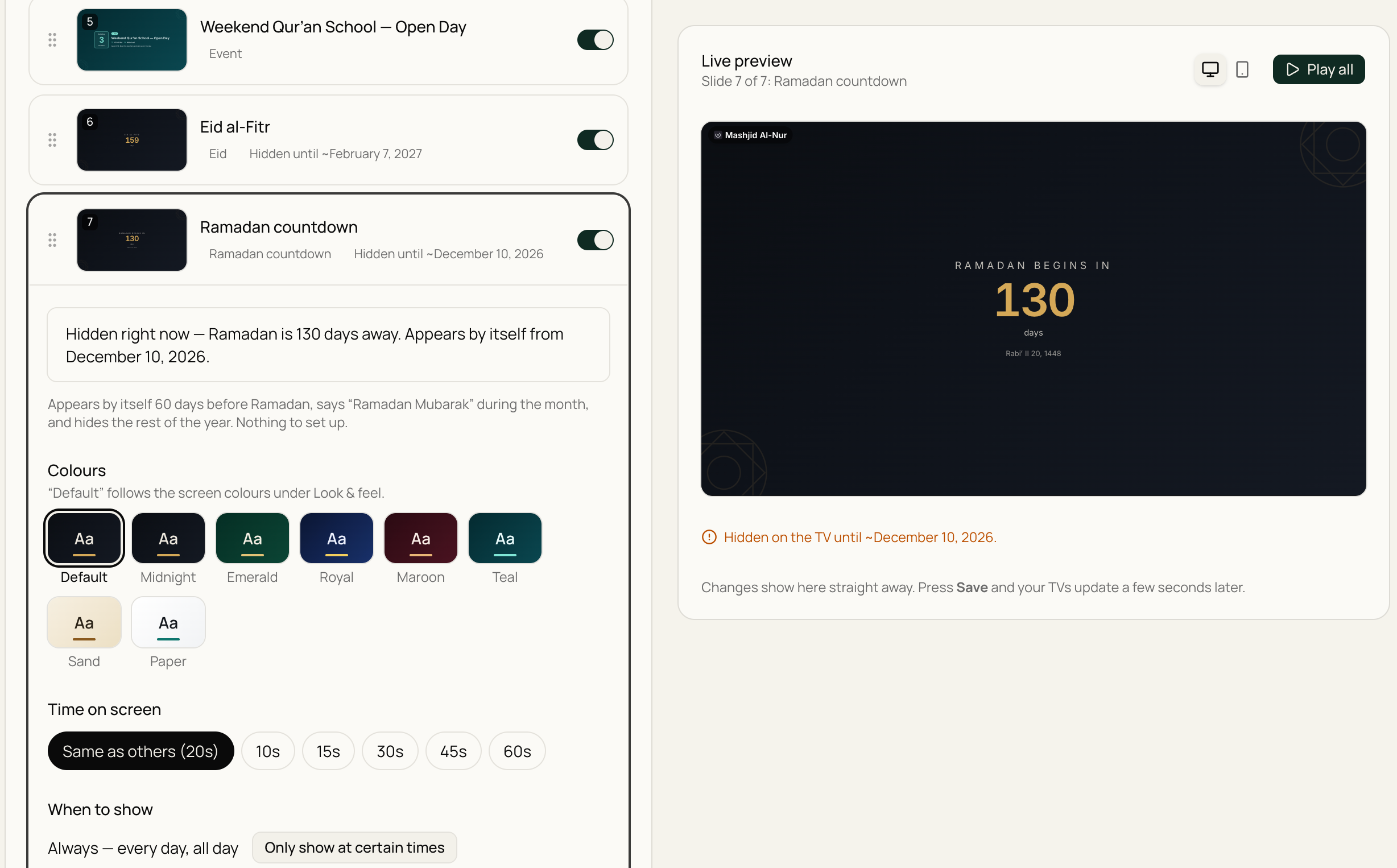
While a seasonal slide is waiting for its season, the slide list shows Hidden until and the date it will appear, and the preview still shows you what it will look like. Like any slide, you can give it its own colours and time on screen.
Tip
Set these up well before the season starts and forget about them. They switch on at the right time and switch off again afterwards — no scrambling on the first night of Ramadan.
Note
Ramadan and Eid slides are part of content screens, so they need a content or combined screen (Plus).