Built for the prayer hall, tuned for the home.
Every feature answers one question — does it help a mosque, office, or home keep accurate prayer times on a wall-mounted screen, day after day, without anyone touching it? Beautiful themes, content and split screens, a prayer-in-progress takeover, vertical displays, true offline, and quiet monitoring. Here's everything inside.
20 hand-crafted themes
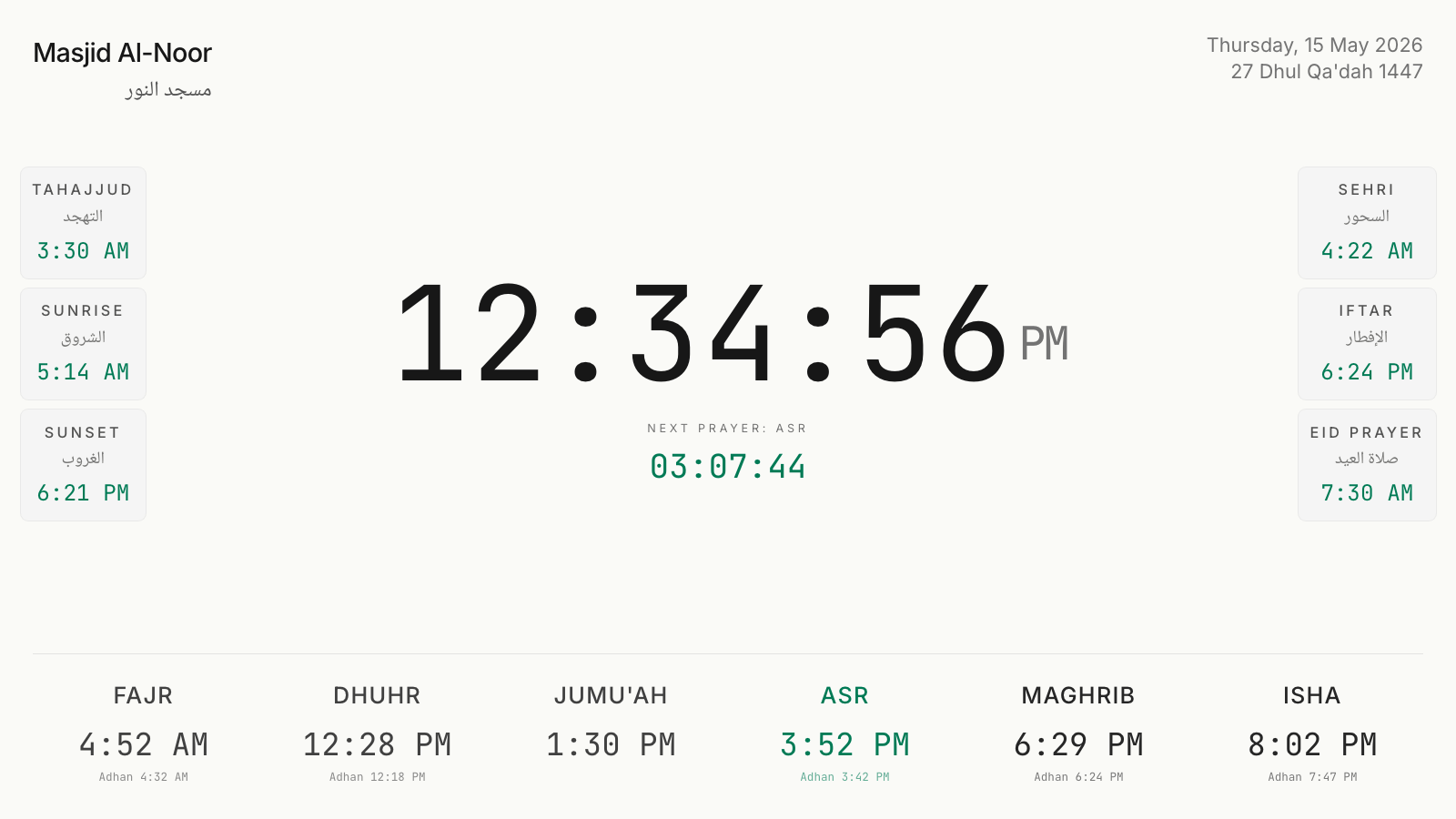
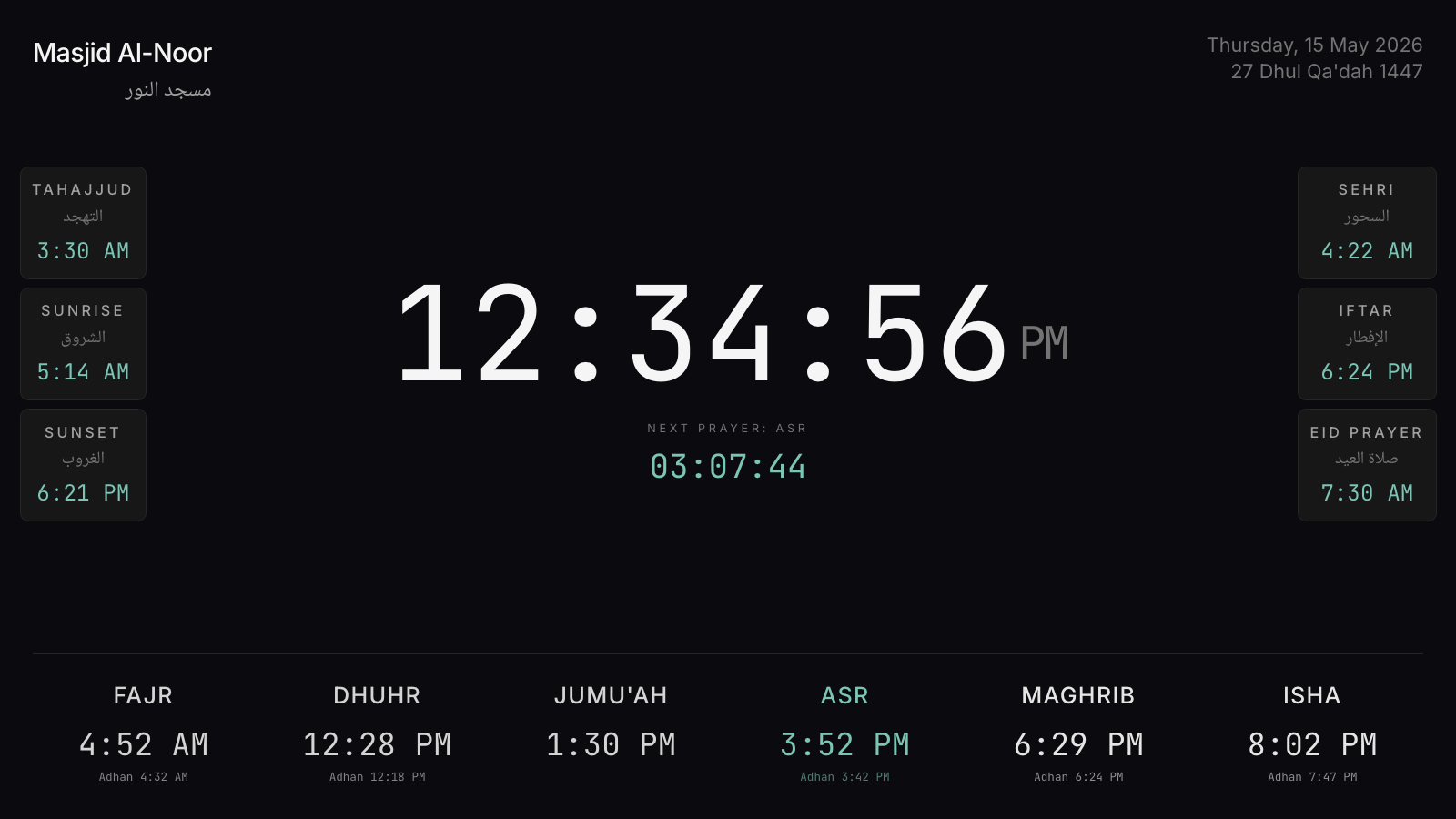
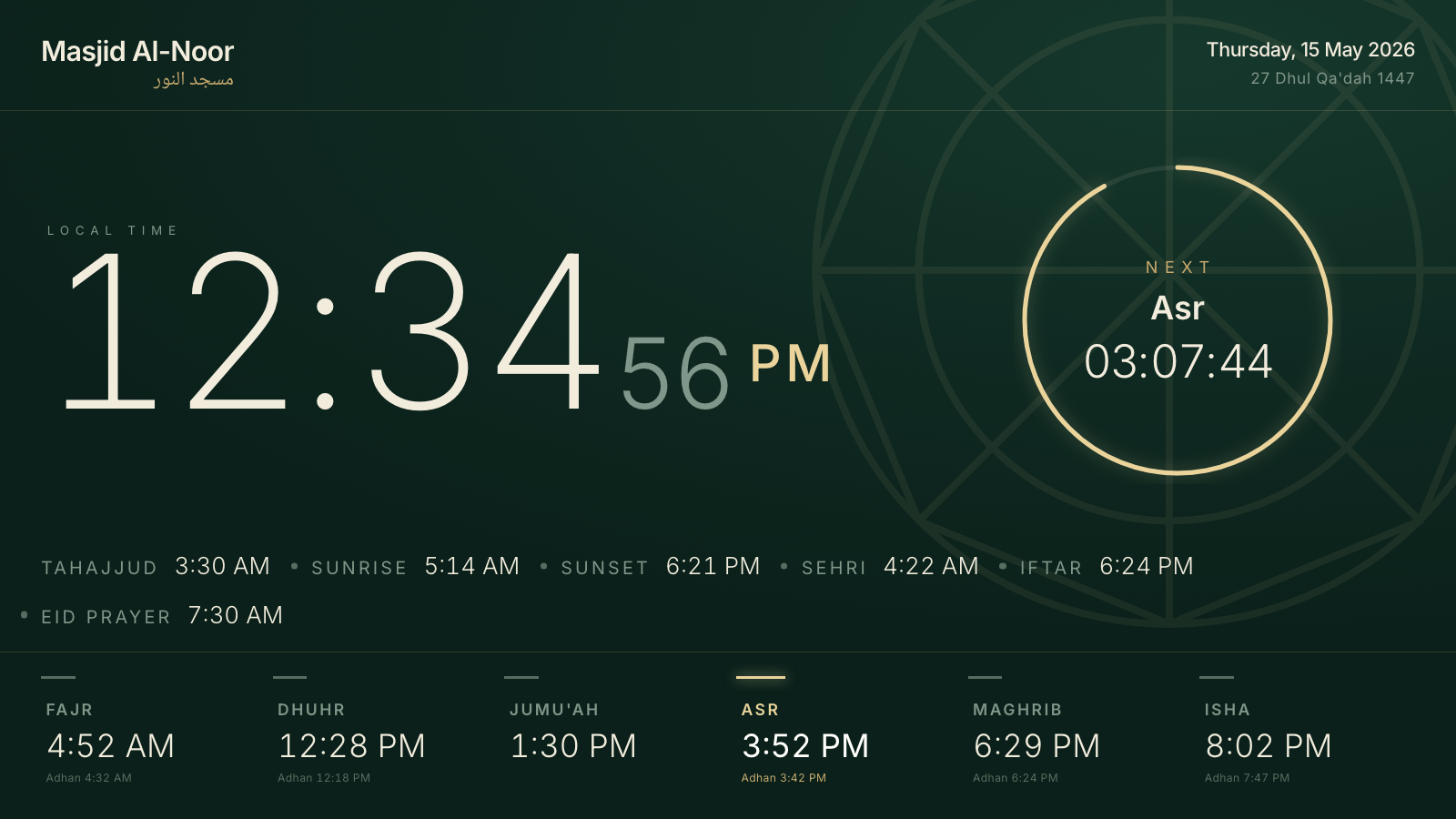
Every theme is a deliberate design — from minimal pages built for legibility from the back row, to maximalist takes on Islamic heritage. Switch instantly, preview live on a real demo clock, and apply with one tap. No design skills needed.
- Minimal Light & Dark — calm, high-contrast, work everywhere
- Heritage Emerald, Calligraphic Manuscript, Zellige Tile — for traditional spaces
- Modern Bold, Brutalist Mono, Cinema Marquee — for bold statements
- Day-Adaptive & Desert Dawn — themes that shift with the sun
More than a clock — your announcements too
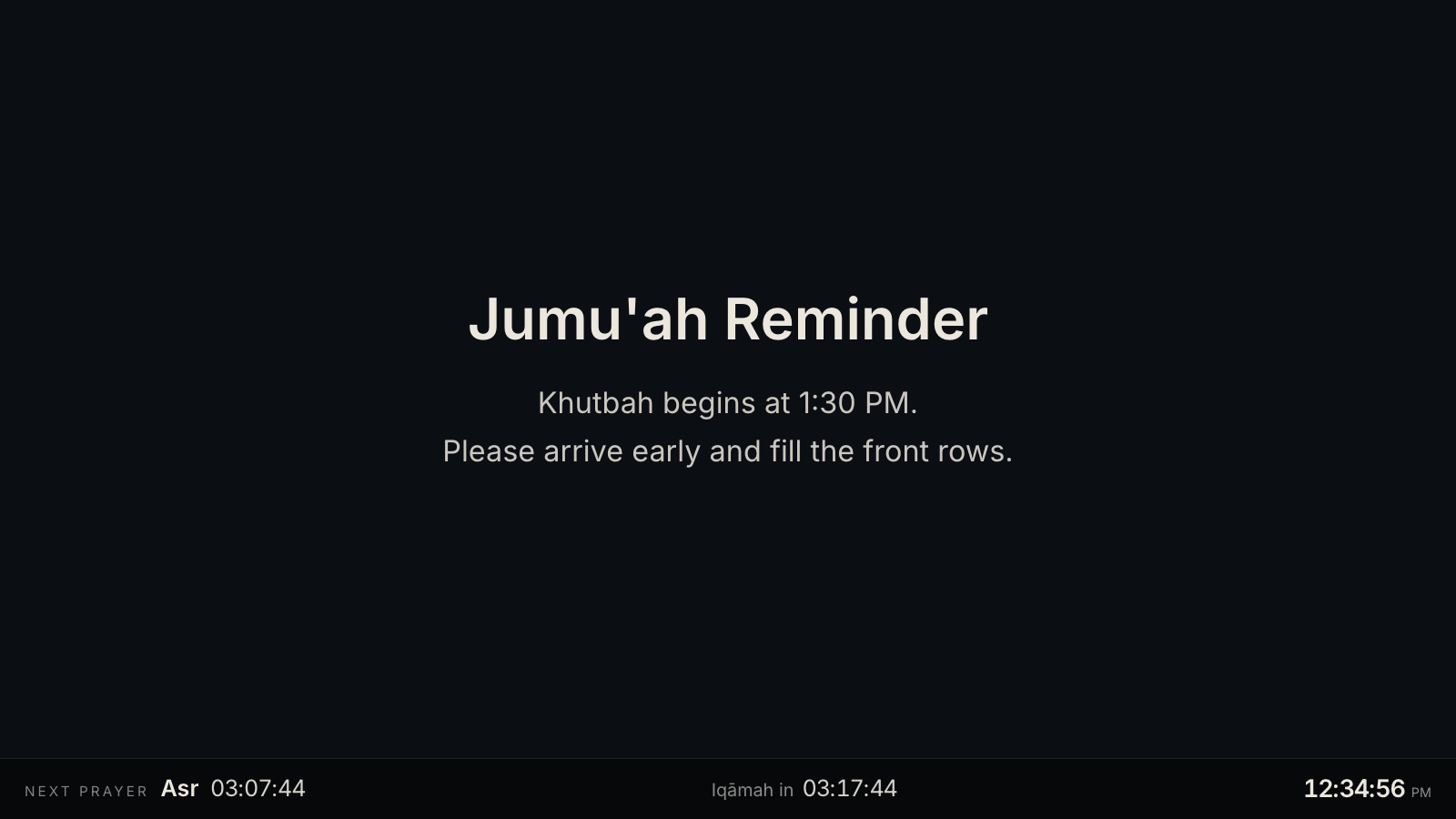
Flip any display into a content screen: a calm, full-screen rotator for Jumu’ah reminders, events, class schedules, and uploaded images. A slim prayer bar stays pinned along the bottom, so it’s never just a poster — the next prayer and Iqamah countdown are always in view.
- Announcement slides (bilingual) and uploaded image slides
- Auto-scheduled Ramadan countdown & Eid greetings — zero config
- Drift-free rotation: every screen of a clock changes in lockstep
- Pinned prayer bar with next prayer + Iqamah countdown
The clock and your content, on one screen
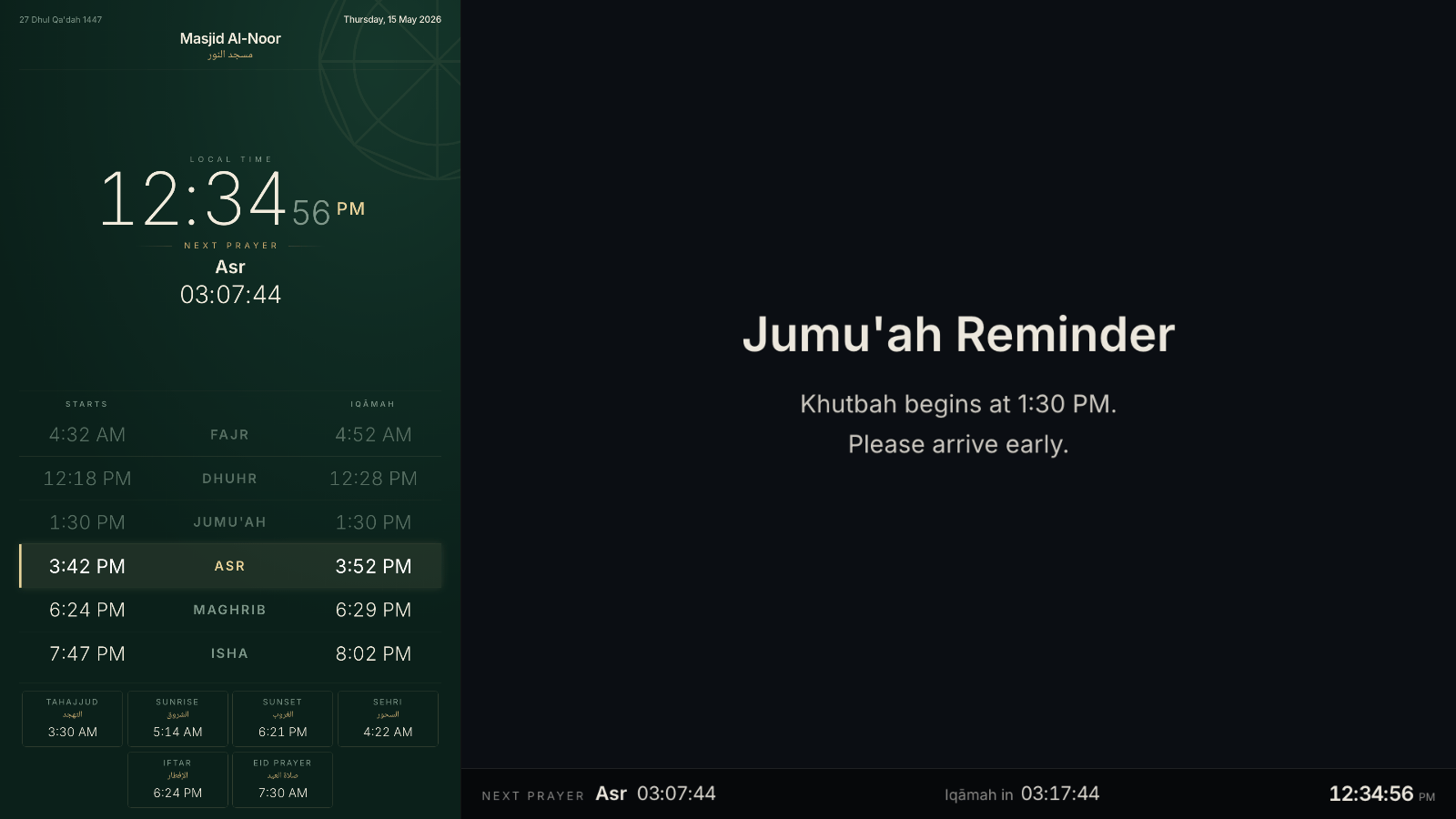
Don’t want to choose? The combined screen splits one display into a prayer clock and a content rotator side by side. The clock pane renders the theme’s vertical layout so nothing is cramped, and when a prayer begins the split steps aside for the full-screen takeover.
- Clock + announcements on a single TV — no second screen needed
- Tone-matched seam so light themes sit cleanly beside the rotator
- Works in both landscape and vertical mounting
Portrait TVs, handled in software
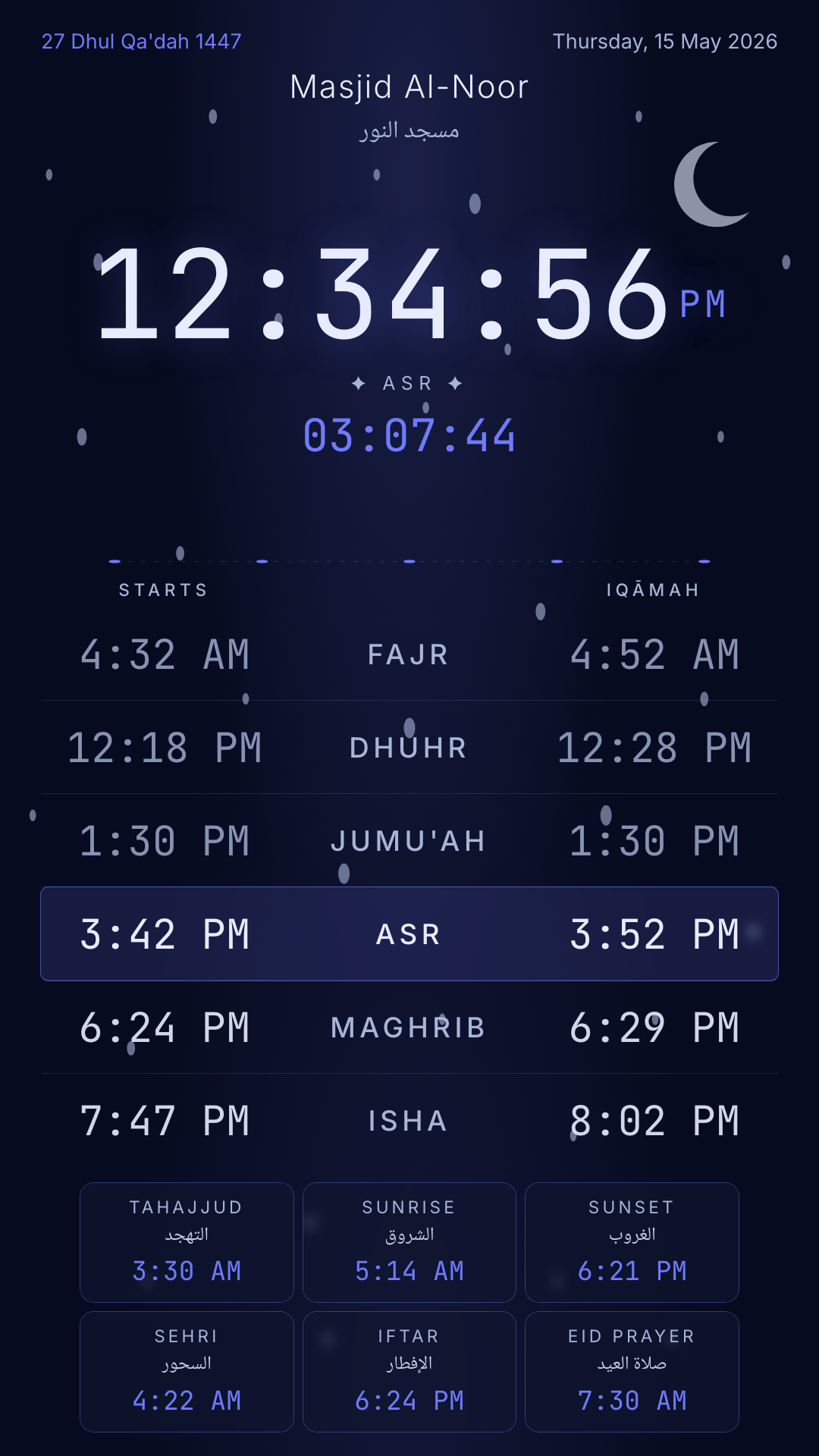
Mounted a TV vertically in the lobby? Many screens output landscape and can’t rotate at the OS level. SalahClock rotates the whole display 90° or 270° in software, and every theme ships a true portrait layout — not a squeezed landscape one.
- Rotate 90° or 270° for portrait-mounted screens
- Purpose-built vertical layouts on all 18 themes
- Takeover, content, and combined screens rotate as one unit
Calculation methods you'd actually trust
SalahClock computes prayer times locally from your coordinates using ten established methods — no third-party API in the hot path. Pick your Asr madhab, nudge the Hijri date to match your local sighting, and override Adhan or Iqamah per prayer so the screen matches your posted schedule exactly.
- Hanafi & Shafi'i Asr calculation
- Per-prayer Iqamah offsets and manual Adhan overrides
- Hijri date adjustment (±days) for local moon sighting
- Muslim World League
- Islamic Society of North America (ISNA)
- Umm al-Qura (Makkah)
- Egyptian General Authority
- University of Islamic Sciences, Karachi
- Institute of Geophysics, Tehran
- Shia Ithna-Ashari (Leva)
- Singapore (MUIS)
- Diyanet (Türkiye)
- Custom (per-clock override)
A calm, automatic silence screen
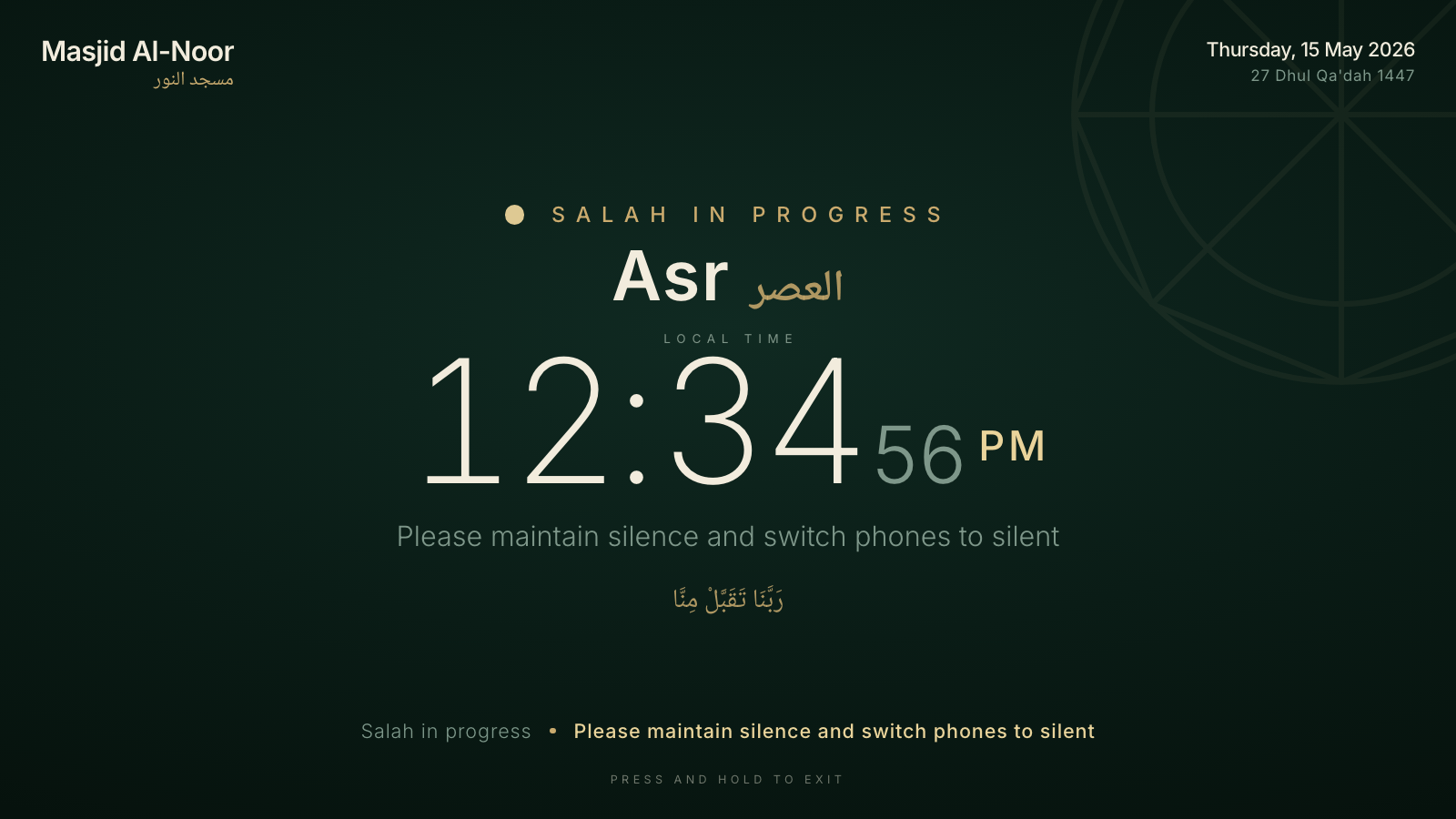
Around each prayer the display takes over on its own. First a gentle “Adhan soon” countdown, then a reminder to straighten the lines and silence phones, then a quiet silence-mode screen while the prayer is performed — and back to the clock when it’s done. No one has to touch anything.
- Three phases: pre-Adhan countdown, pre-Salah reminder, in-progress silence
- Your own rotating messages per phase, in any language
- Enable or disable per prayer; theme-matched, never a jarring popup
- Friday gets a dedicated Khutbah-in-progress takeover
The adhan, out loud
Flip one switch and the display calls the adhan at each prayer time — a real recording from a library of ten renowned muezzins, including the voices of Makkah and Madinah. A compact mini player appears on screen while it plays, and recordings are cached on the device so the adhan sounds even when the Wi-Fi doesn’t.
- 10 voices — 3 free, the full library on any paid plan
- Per-prayer switches (mute Fajr at home) and a dedicated Fajr voice
- Volume control, in-dashboard previews, and a play-it-now test button
- Off by default — nothing plays until you turn it on
Friday, done properly
Jumu’ah isn’t just Dhuhr with a different name. SalahClock gives Friday its own Khutbah and Iqamah times, an optional “Jumu’ah Mubarak” greeting ribbon with rotating reminders, and a Khutbah-in-progress takeover — all separate from your weekday schedule.
- Replaces Dhuhr automatically on Fridays
- Separate Khutbah & Iqamah fields
- Friday greeting ribbon with rotating Al-Kahf / Salawat reminders
One URL. Any screen. Never sleeps.
Open the link on a smart TV, an Amazon Fire stick, a kiosk tablet, or a Raspberry Pi browser. It fits 360p to 4K, hides the cursor after a few seconds of stillness, requests fullscreen on first tap, and reloads itself if the connection drops or the page crashes. No more “the mosque clock froze again.”
- Wake Lock API — the screen never sleeps
- Fullscreen on first user gesture, idle cursor hiding
- Network watchdog + crash-boundary auto-reload
- Optional night sleep: dims after Isha, wakes before Fajr
Wi-Fi can drop. The Adhan can't.
SalahClock pre-caches 30 days of prayer times the moment you load the page. If your mosque’s internet flickers — or never fully recovered after that storm — the clock keeps showing accurate times. Install it as a PWA to your home screen for an app-like experience.
- 30-day prayer-time cache (per location)
- Service worker with offline fallback page
- Installable on iOS, Android, Windows, macOS, Chrome OS
- Auto-update when the connection returns
Prayer times for the next month live on the device. Your clock survives outages your router doesn’t.
10 languages, four numeral systems
Every label in every theme is translatable. RTL handled automatically for Arabic, Urdu, and Persian. Numerals render in their native script with uniform widths — no more wobbly columns when the digit changes from 1 to 2. Show a second numeral system alongside the first when your community reads both.
A dashboard a volunteer can actually use
Most mosque tech projects die because the person who set them up moved away. SalahClock’s admin is built so the next volunteer takes over in five minutes — and scales from one screen to a whole network of sites from the same account.
- Map-based location picker, plain-English Iqamah offsets, live preview
- Run many clocks and a pool of displays — split them however you like
- Heartbeat monitoring with offline alerts when a screen goes dark
- Clock sync: branch displays mirror a main clock's settings
Find your masjid. Follow it from anywhere.
The Discover directory lets anyone find a mosque by name or location, follow it, and pin its clock to their phone home screen. Public clocks get a clean shareable URL — perfect for the masjid’s WhatsApp group or printed Jumu’ah notice.
- Searchable public directory
- Follow / Following list
- Shareable slug URLs (salahclock.app/c/your-masjid)
- English + Arabic name fields
One link that becomes your masjid's homepage
The public page at salahclock.app/c/your-masjid can be far more than prayer times. On a paid plan, turn it into a full mosque homepage — a hero photo, your imams and committee, a photo gallery, services, events, and announcements — themed in a color you pick. Prayer times stay front and centre; everything else is added around them.
- Hero photo, logo, and an About section for your community
- Imams, staff, and committee — with photos and roles
- Photo gallery, services, upcoming events, and announcements
- Five color themes, mobile-first, RTL-ready, rich link previews
Your masjid moves a time — so does your screen
Put SalahClock on a TV at home or the office and follow your local masjid. Your screen mirrors its prayer and Iqamah times exactly — and the moment the masjid adjusts a time, every screen following it updates on its own. No app to reinstall, no settings to redo.
- Follow any public clock — your display mirrors its exact times
- The masjid edits once; followers update within seconds
- Built for home & office screens near your local mosque
- Fully automatic — nobody touches the follower screen
Run it from Claude or ChatGPT
- You choose which clocks it can reach — or none at all
- Read-only mode, if you only want to ask about times
- It can never delete a clock, touch billing, or reach your account
- Disconnect in one click; we email you whenever something connects
What time is Fajr tomorrow?
Fajr is at 05:15, with iqamah at 05:40.
Move Isha iqamah to 20 minutes after the adhan.
Updated iqamah offsets: Isha +20 min.
And the small things that add up
The unglamorous details that make a kiosk feel maintained instead of abandoned.
Hijri date
The Hijri date alongside the Gregorian, in the right calendar variant for your community — with a manual offset for local sighting.
Sunrise, Tahajjud, Sehri, Iftar
Ramadan-ready out of the box. Optional supplementary times that show only when relevant, toggled individually.
Bilingual announcement banner
A persistent banner in two languages for the line that always needs saying — even on a plain prayer clock.
Scheduled night sleep
Dim the screen after Isha and wake it before Fajr, so a lobby TV isn't glowing at empty chairs all night.
White-label
Remove the SalahClock footer credit on Plus and up — the display carries your masjid's identity, not ours.
Responsive 360p → 4K
Tested from kiosk tablets to wall-mounted UHD TVs. Type scales, stays crisp, and never blurs.
Ready to see it on your screen?
Free for a single clock — mosque, office, or home. No card. No nagging.