Adhan audio
Your display can call the adhan out loud at each prayer time. Turn it on in the Adhan tab, pick a voice, and the recording plays the moment the adhan time arrives — with a small player on the screen while it runs.
The feature is off by default; nothing plays until you switch it on.
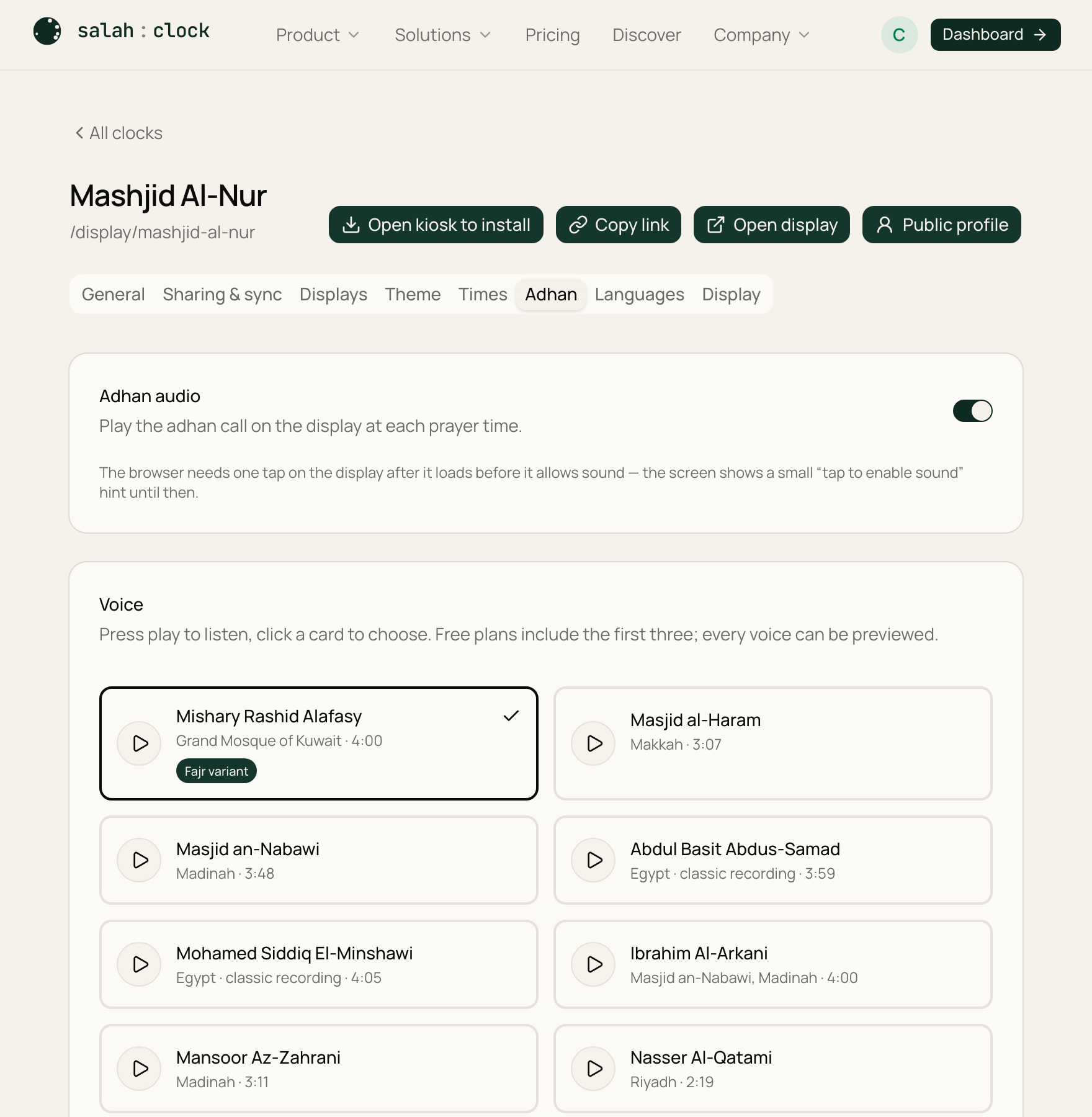
The voice library
Ten recordings from renowned muezzins. Press the round play button on any card to listen — every voice can be previewed on every plan — and click a card to make it your clock's adhan.
| Voice | Origin | Plan |
|---|---|---|
| Mishary Rashid Alafasy | Grand Mosque of Kuwait | Free |
| Masjid al-Haram | Makkah | Free |
| Masjid an-Nabawi | Madinah | Free |
| Abdul Basit Abdus-Samad | Egypt · classic recording | Paid plans |
| Mohamed Siddiq El-Minshawi | Egypt · classic recording | Paid plans |
| Ibrahim Al-Arkani | Masjid an-Nabawi, Madinah | Paid plans |
| Mansoor Az-Zahrani | Madinah | Paid plans |
| Nasser Al-Qatami | Riyadh | Paid plans |
| Majed Al-Hamathani | Saudi Arabia | Paid plans |
| Hamdan Al-Malki | Saudi Arabia | Paid plans |
The three free voices are available to everyone. The other seven unlock on any paid plan — free accounts can still listen to them in the dashboard, but picking one shows an upgrade prompt. See Plans compared.
Classic recordings
The Abdul Basit and El-Minshawi adhans are historic radio-era recordings — their sound carries the character (and the fidelity) of their time.
Choosing which prayers play
Five switches — one per prayer — let you mute the adhan for individual prayers. A common example: keep the adhan for the four daytime prayers but mute Fajr on a home display so it doesn't sound at dawn.
On Fridays, the noon adhan follows your Jumu'ah settings and the Dhuhr switch — there's exactly one noon adhan either way.
The Fajr adhan
Fajr traditionally has its own adhan (with as-salatu khayrun min an-nawm). You can pick a different voice just for Fajr, and voices that include a dedicated Fajr recording (like Mishary Alafasy) use it automatically.
Volume & testing
The volume slider sets how loud the display plays. The preview buttons in the dashboard play at this volume, so you can judge it before saving — and the "Play … now" button opens your live display and plays the adhan immediately, mini player and all.
On the display
When the adhan time arrives, a compact mini player appears top-center — the same banner slot the Friday greeting uses, kept clear of the clock and the prayer grid on every theme: the prayer name, the muezzin, play/pause, a volume slider, and a progress line. It disappears on its own when the adhan finishes, or tap × to dismiss it early. (On Fridays the greeting ribbon steps aside while the adhan plays, then returns.)
One tap after the screen loads
Browsers block sound until a page has been touched once. After the display loads, give it one tap or key press — from then on the adhan plays by itself. If an adhan arrives before that first touch, the display shows a pulsing "Tap anywhere to enable sound" pill instead; tap the screen and it starts. Displays installed as an app keep this unlock across the session.
Tip
The adhan keeps working if the connection drops: once a display has played (or preloaded) a recording, it's cached on the device for offline playback.