Labels & languages
SalahClock speaks your community's language — and can show two at once. It's all on the Languages tab.
Primary language
Pick the main language for the display. Ten are built in:
English, Arabic, Bangla, Turkish, Urdu, Indonesian, Persian, French, Hausa, and Spanish.
Choosing a language fills in the prayer names for you. Right-to-left languages like Arabic and Urdu lay the whole display out correctly.
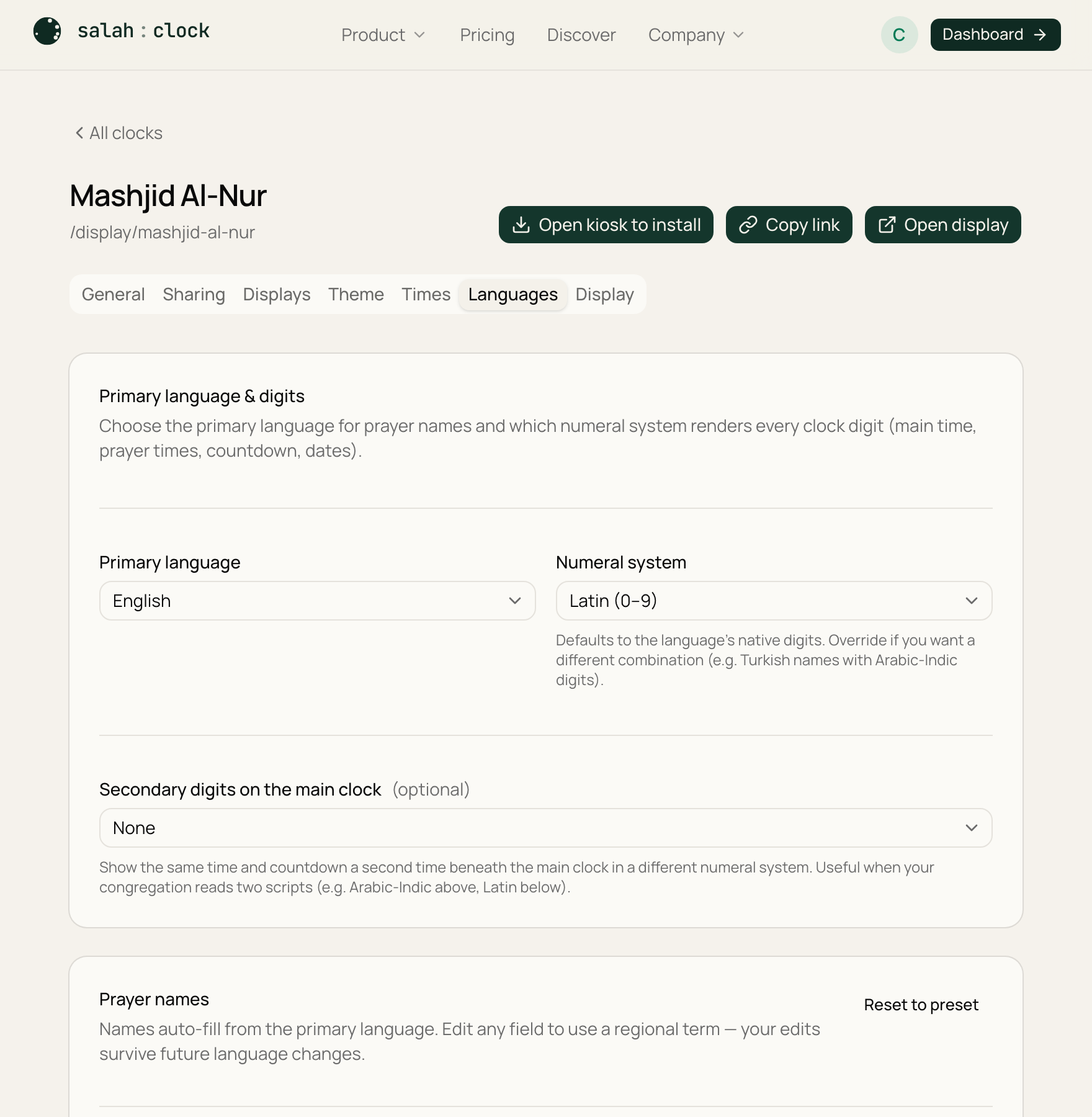
Numerals
Choose how digits look:
- Latin — 0 1 2 3
- Arabic-Indic — ٠ ١ ٢ ٣
- Eastern Arabic-Indic — ۰ ۱ ۲ ۳
- Bengali — ০ ১ ২ ৩
You can even show a secondary numeral system alongside the primary one.
Renaming prayers
Don't like a default label? Override any prayer name with your own wording. A Reset to preset button puts the standard names back if you change your mind.
Bilingual announcement banner
Want two languages on screen? Fill in the secondary labels to show a second language alongside the first — for example English prayer names with Arabic underneath. Use Fill from preset to load a second language quickly, or Clear all to remove it.
Tip
A bilingual display is perfect for mixed communities — elders read one language, youngsters the other, and nobody's left out.