An AzanCast alternative from the people who took the same bet.
AzanCast is the one competitor built on the same idea we were: no Android box, no app, just a URL. So this comparison is not about architecture. It is about what each of us spent the last two years building on top of it.
SalahClock and AzanCast are structurally the same product — a display page you open in any browser on any TV, managed from a dashboard, updating instantly. Choose between them on what sits on top.
AzanCast has built outward: Stripe donations with a live QR on the TV during Jumu’ah, a live Jumu’ah translation service congregants read on their phones in six languages, a Home Assistant integration, screen-view analytics and an Alexa adhan skill on the consumer side. SalahClock has built into the display: eighteen themes each with a portrait variant and several day-adaptive, adhan audio from ten muezzin recordings, a three-phase prayer takeover, a thirty-day offline cache, heartbeat monitoring with email alerts when a screen dies, ten languages and four numeral systems. Plus is $96 a year against AzanCast Pro at $169, though AzanCast Pro gives unlimited displays and Plus gives twenty.
- Choose AzanCast if
- Online donations through the display matter more than anything else, or you want live khutbah translation on congregants' phones.
- Choose SalahClock if
- The screen itself is what you care about — how it looks, whether it survives an outage, and whether anyone notices when it dies.
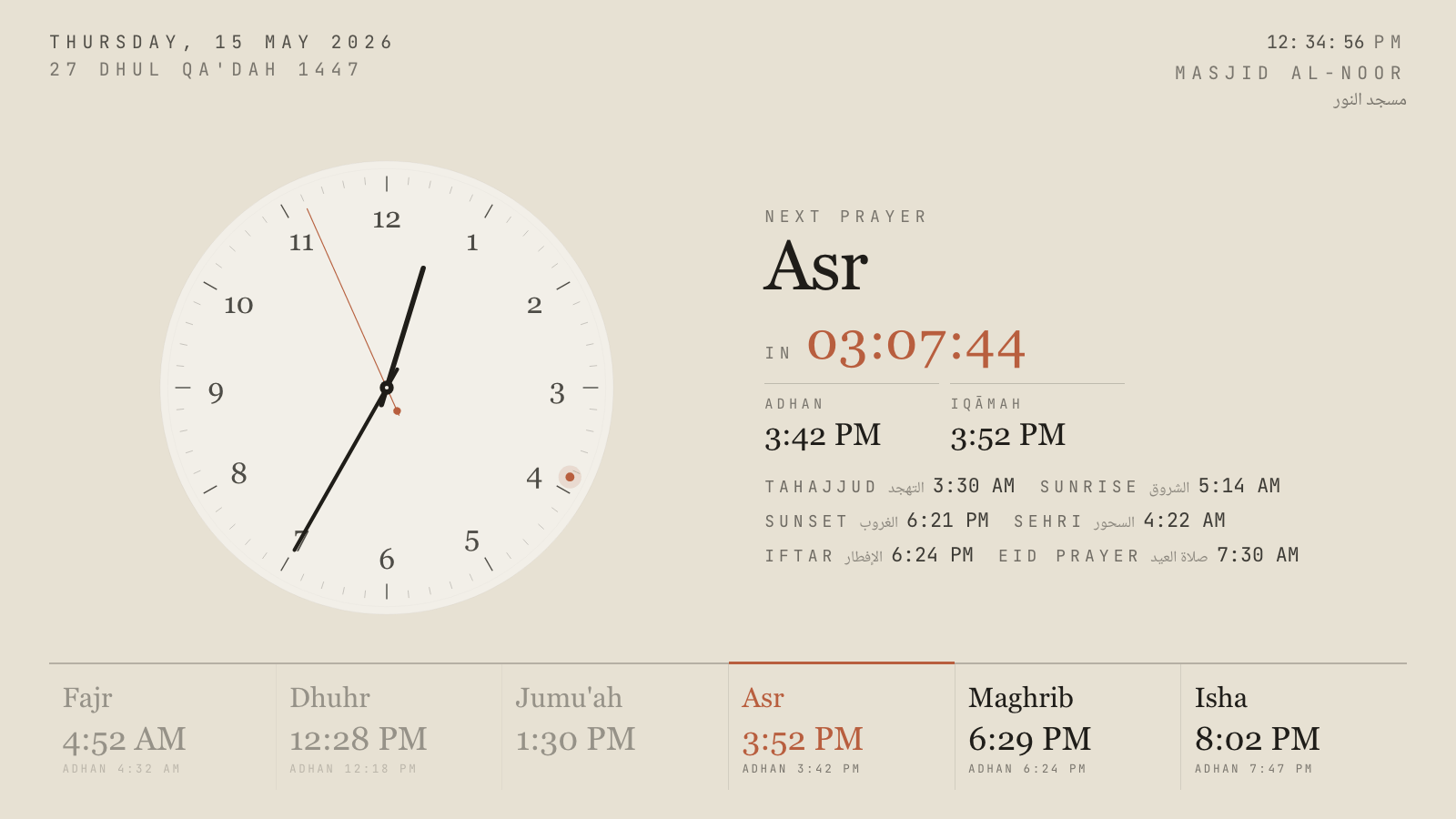
Hushed Hour, one of eighteen themes. Every one has a portrait variant.
Two products, one architecture
It is worth saying at the top that AzanCast is a good product built by people who clearly understand mosques. They arrived at the same conclusion we did — that making a masjid buy and maintain an Android box to see prayer times is an unnecessary tax — and they executed on it well. Sign up, set iqamah times, pick a layout, open a URL on the TV, pair with a six-digit code. Five minutes, as advertised.
So none of the usual comparison-page arguments apply here. There is no hardware to point at, no app store to complain about, no compatible-device list on either side. The interesting question is narrower and more useful: given the same starting point, what did each team decide was worth building next?
AzanCast went outward
Their answer was that the display is a channel, and the thing worth attaching to it is the community’s money and attention.
Donationsare the centrepiece. Connect Stripe, build a branded giving page, run campaigns with goals, take one-off or recurring gifts, and put a live QR code on the TV during Jumu’ah so a thousand people with phones in their pockets can give without cash. The platform takes 5% on the free plan and 2% on Pro. As a business model that is smart, and as a mosque feature it is genuinely valuable — Friday collections in a cashless country are a real problem.
Live Jumu’ah translationis the more ambitious one. The imam delivers the khutbah in Arabic; congregants scan a QR code and read live subtitles in English, Urdu, Bengali, Turkish, Spanish or French, with no app install. Pro includes eight sessions a month and it is sold standalone too — explicitly designed to work alongside any other vendor’s display, ours included. Nothing else in this market does it at this price.
Around those sit a Home Assistant integration, screen-view analytics, a public API, an embed widget, and on the consumer side an Alexa adhan skill that feeds the whole funnel.
We went into the screen
Our answer was that the display hangs on a wall people pray in front of five times a day for years, and almost nobody treats it that seriously.
Eighteen themes, all with portrait variants. AzanCast has ten layouts and sixteen colour themes, which sounds comparable until you see them side by side: theirs are colour schemes applied to layouts, ours are designed objects — a calligraphic manuscript, a high-contrast minimal dark built to be read from the back of a hall, heritage emerald, editorial serif, geometric tessellation, zellige tile. Several are day-adaptive, shifting light to dark across the day without anyone touching a setting.
Adhan audio on the display.Ten muezzin recordings including Makkah, Madinah and Alafasy, three of them free, with per-prayer enable and disable, a separate voice for Fajr, and volume held per clock. The recordings cache on the device so they play through an outage. AzanCast’s recitation library lives on the consumer Alexa side; their mosque display product does not publish adhan playback.
The three-phase prayer takeover.A few minutes before the adhan, the screen changes to say so and counts down. Between adhan and iqamah it counts down to the jama’ah with rotating reminders. Once the prayer begins, the countdown disappears entirely and the screen states that the prayer is in progress. Every window is configurable and every theme has its own version. We have not seen this anywhere else.
Offline, and knowing when a screen is dark.The display installs as a progressive web app holding thirty days of computed times, so a router reboot mid-Maghrib changes nothing. Every screen sends a heartbeat; the dashboard shows when each was last seen; Pro accounts get an email when one stops reporting. AzanCast’s analytics will tell you a screen has been offline when you go and look. Ours comes to find you.
The price comparison is not as simple as it looks
AzanCast Pro is $20 a month or $169 a year, and includes unlimited paired displays. SalahClock Plus is $8 a month billed yearly — $96 — and covers three clocks across twenty displays. SalahClock Pro is $288 a year for fifteen clocks across a hundred displays with offline alerts and the combined split screen.
So: for a mosque with one to twenty screens, Plus is cheaper than AzanCast Pro by $73 a year and carries more themes. For a mosque with more than twenty screens and no need for monitoring or split screens, AzanCast Pro at $169 is better value than our Pro at $288, and we would rather you knew that from us.
On trials: AzanCast gives thirty days of Pro with no credit card. We give fourteen days and do ask for a card, which is a worse offer on the face of it, though nothing is charged until the trial ends and cancelling before that date costs nothing.
SalahClock and AzanCast, line by line
Everything below is taken from each product’s own published material and checked in September 2026. Where a vendor does not publish something we say so rather than guessing. If you spot something out of date, tell us and we will fix it.
| Feature | SalahClock | AzanCast |
|---|---|---|
| Architecture | ||
| What runs the display | Any web browser | Any web browser |
| Hardware required | None | None |
| Setup time | About a minute | About five minutes |
| Pairing step | Open the URL | Six-digit pairing code |
| Instant push of changes to every screen | Yes | Yes |
| On the screen | ||
| Themes | 18, each with a portrait variant | 16 colour themes over 10+ layouts |
| Day-adaptive themes | Yes | No |
| Auto-rotate between layouts | No | Yes |
| Custom accent colour and font scaling | Per theme | Yes |
| Mosque logo upload | No | Pro |
| Adhan audio at prayer times | 10 recordings, Fajr-specific voice | Not published |
| Three-phase prayer takeover | Yes | No |
| Quran and hadith rotation between prayers | No | Yes |
| Image, video and embed slides | Images and text | Yes |
| Scrolling announcement ticker | Announcement banner | Yes |
| Display languages | 10, plus 4 numeral systems | 6 |
| Accuracy | ||
| Calculation methods | Major methods incl. MWL, ISNA, Umm al-Qura, Diyanet | 8 methods |
| Hanafi / Shafi'i Asr | Yes | Yes |
| Per-prayer minute adjustments | Yes | Yes |
| High-latitude rules | No | Yes |
| Separate Jumu'ah khutbah and iqamah | Yes | Jummah times |
| Ramadan handling | Auto Ramadan and Eid countdowns | Ramadan mode |
| Keeping it running | ||
| Works with no internet | 30-day offline cache (PWA) | Not published |
| Wake lock and crash auto-recovery | Yes | Not published |
| Display heartbeat monitoring | Plus and above | Screen analytics |
| Email alert when a screen goes dark | Pro | No |
| Screen schedule / night sleep | Yes | No |
| Branch screens mirroring a main clock | Yes | No |
| Beyond the display | ||
| Online donations | No | Stripe, 5% free / 2% Pro |
| Donation QR on the TV | No | Yes |
| Live Jumu'ah translation | No | 6 languages, 8 sessions/mo on Pro |
| Website embed widget | Free on all plans | Yes |
| Public read API | Free on all plans | Yes |
| Home Assistant integration | No | Yes |
| AI assistant control (Claude, ChatGPT) | Yes | No |
| Community mobile app | Public clock page (installable) | iOS, Android coming |
| Public mosque directory | Discover | No |
| Rich mosque homepage with gallery and staff | Plus and above | No |
| Price | ||
| Free plan | 1 clock, 2 displays, 4 themes, adhan audio | 1 display, 3 layouts, 6 themes |
| Entry paid plan | $96/yr — 3 clocks, 20 displays, all 18 themes | $169/yr — unlimited displays, all themes |
| Top self-serve plan | $288/yr — 15 clocks, 100 displays, alerts | $169/yr |
| Free trial | 14 days, card required | 30 days, no card |
One masjid, up to twenty screens, three years
Both products need no hardware, so these are subscription costs only. The comparison holds up to twenty displays; above that AzanCast Pro's unlimited displays make it the cheaper option, since SalahClock Pro at $288/yr covers a hundred. Donation processing fees are excluded — AzanCast charges 5% on Free and 2% on Pro on top of Stripe's own fees, and SalahClock does not process donations at all. Prices checked September 2026.
Where AzanCast is genuinely better
Every comparison page should have this section and most do not. If one of these matters more to your masjid than everything above, go and use AzanCast — we would rather you had the right display than our display.
Donations, done properly
Stripe onboarding, branded giving pages, campaigns with goals, recurring gifts and a live QR on the TV during Jumu'ah, at 2% on Pro. We have no donations product. For a masjid whose main problem is that Friday collections are falling as cash disappears, this is the whole argument and we lose it.
Live Jumu'ah translation is genuinely novel
The imam speaks Arabic; congregants scan a QR and read live subtitles in six languages on their own phones, with no app install. Eight sessions a month come with Pro, and it is sold standalone so it works alongside any display — including ours. It is the most interesting thing anyone in this market has shipped recently and we have nothing like it.
Unlimited displays at $169/year
Above twenty screens, AzanCast Pro is cheaper than SalahClock Pro and there is no way to argue around it. A large multi-hall masjid or a campus with screens in every corridor should run the numbers before assuming we are the cheaper option.
A thirty-day trial with no card
Ours is fourteen days and asks for a card. Theirs is thirty and does not. That is a better offer and we will not dress it up — our free plan has no time limit at all, which is the counterargument, but on trials specifically they are ahead.
High-latitude rules, and Home Assistant
AzanCast implements high-latitude rules for northern mosques, which matters a great deal in Scandinavia, Scotland and northern Canada, and we do not yet. They also integrate with Home Assistant for people automating their houses around salah.
Moving across from AzanCast
Open both on the same TV, ten minutes apart
Because neither product needs hardware, the fairest test available to you is the cheapest: load AzanCast's display URL on the hall TV, look at it, then load a free SalahClock clock on the same screen and look at that. Whichever you would rather pray in front of for the next five years is the right answer.
Your iqamah times take two minutes to retype
Five numbers and Jumu'ah. Enter them as posted, then match the calculation method so the adhan times agree. If you are in a northern city, check the Fajr and Isha times carefully in midsummer before committing either way.
Keep the translation add-on if you use it
AzanCast sells live Jumu'ah translation standalone and states it works with any display. If it has become part of your Friday, there is no reason moving the screen should cost you it.
Move the donation flow last, or not at all
If donations run through AzanCast today, leave them there. We have nothing to migrate them to, and a QR code on a slide can point anywhere you like — including at a giving page you already run.
Questions mosques ask about AzanCast
How much does AzanCast cost?
Does SalahClock do donations like AzanCast?
Which one looks better on the wall?
Do either of them need hardware?
What happens during a Wi-Fi outage?
Does SalahClock play the adhan on the display?
Which is cheaper?
Can we use AzanCast's live translation with a SalahClock display?
Put both on the same TV and decide.
SalahClock is free for one clock — no card, no trial clock ticking down. Set your location, type your Iqamah times, open the URL on the screen. If it is not better than what you have, close the tab.
- No hardware
- No app to install
- Works offline
- Free forever for one clock
Open-source non-profit waqf
Hardware brand with a masjid signage app
Free core, paid modules